# Using TMF Bot Document Quality Control
TMF Bot can assist with document quality control (QC). If configured by an Admin, TMF Bot QC can be used as a workflow step to check the document classification and metadata (such as _Study_) against TMF Bot's predictions. When suggestions are available, Vault displays a TMF Bot Icon () on the Document Info panel:
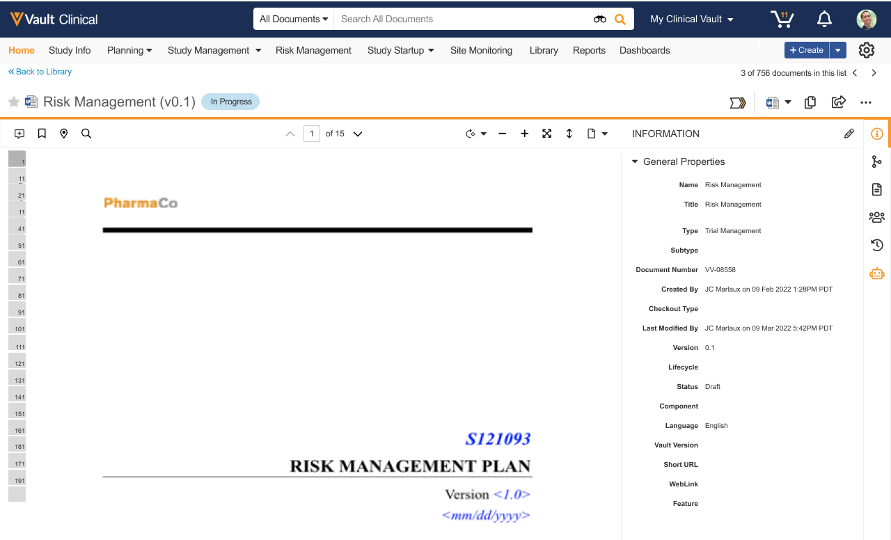 The icon is orange when there are unseen suggestions. After viewing the suggested classification, the icon appears black. The icon only appears if there are suggestions on at least one version of that document. If you click the icon and do not see a suggestion, switch to a different version of the document and check for suggestions there.
If you wish to reclassify the document, click **Reclassify** on the document info panel and adjust the classification as desired. If you wish to update extracted metadata, click **Edit** and update the desired fields.
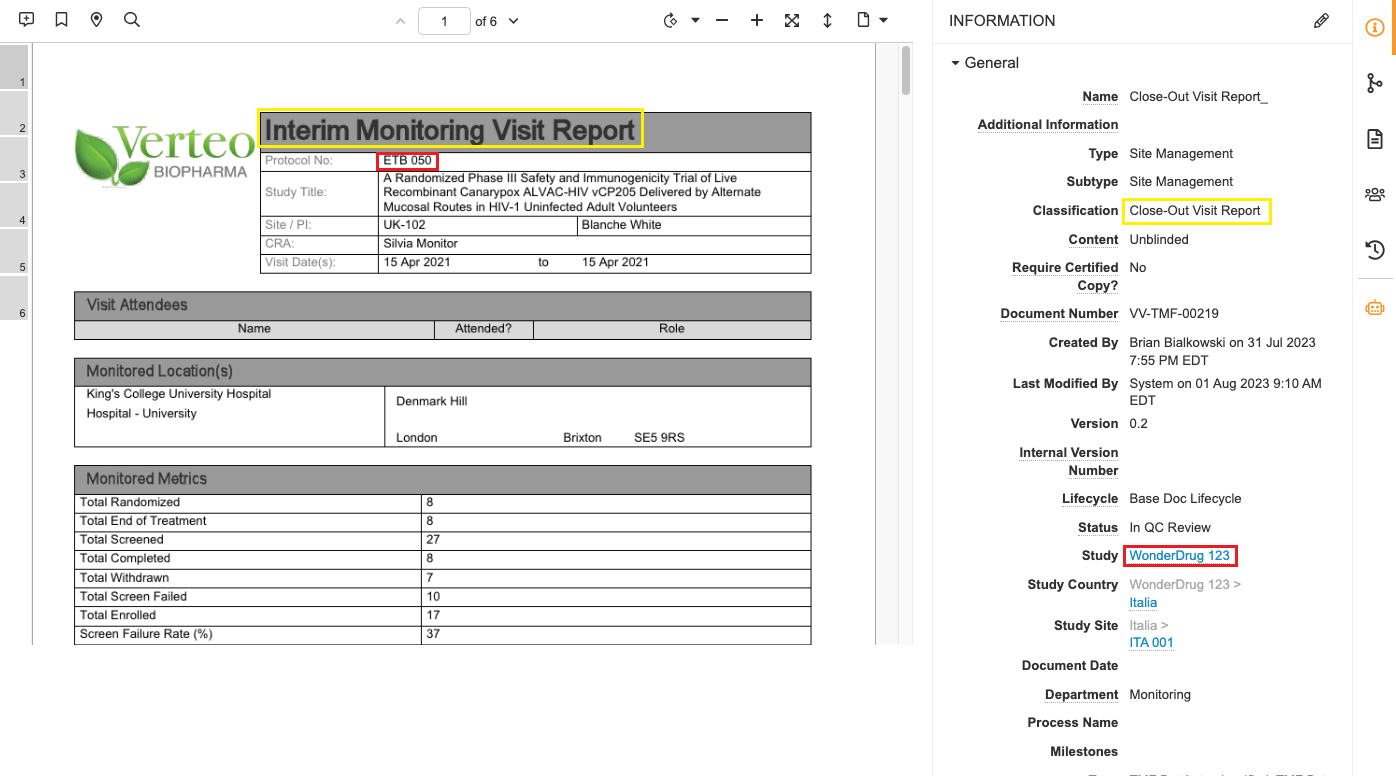
In the example below, you can see that the document has been misclassified (outlined in yellow) and assigned to the wrong Study (outlined in red).
The icon is orange when there are unseen suggestions. After viewing the suggested classification, the icon appears black. The icon only appears if there are suggestions on at least one version of that document. If you click the icon and do not see a suggestion, switch to a different version of the document and check for suggestions there.
If you wish to reclassify the document, click **Reclassify** on the document info panel and adjust the classification as desired. If you wish to update extracted metadata, click **Edit** and update the desired fields.
In the example below, you can see that the document has been misclassified (outlined in yellow) and assigned to the wrong Study (outlined in red).
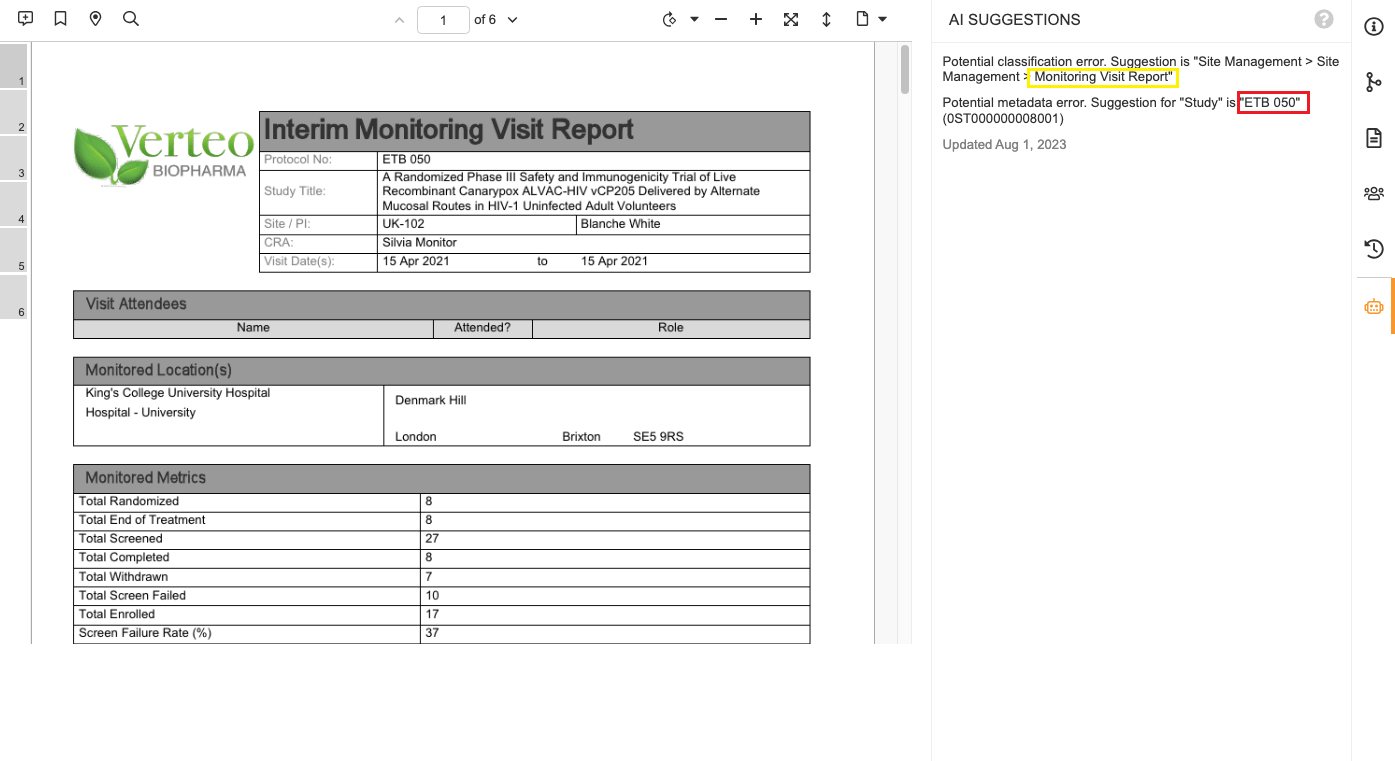
 In this case, the TMF Bot makes the following suggestions:
 The TMF Bot QC runs automatically provided that the AI QC system action is [properly added within your desired document workflow](/en/lr/50498/).
In order for TMF Bot to make suggestions about misclassifications, you must have an Auto-Classification model deployed. In order for the TMF Bot to make suggestions about metadata, you must have a Metadata Extraction model deployed.
The TMF Bot QC runs automatically provided that the AI QC system action is [properly added within your desired document workflow](/en/lr/50498/).
In order for TMF Bot to make suggestions about misclassifications, you must have an Auto-Classification model deployed. In order for the TMF Bot to make suggestions about metadata, you must have a Metadata Extraction model deployed.