Vault auto-generates audit export cover pages and attaches them to PDF exports for all audit trails and Admin audit logs. By modifying the default Audit Export Cover Page template, you can modify the information that appears on these pages.
All PDF exports from audit trails or audit logs use the same template. You cannot create custom cover page templates.
Example Audit Export Cover Page
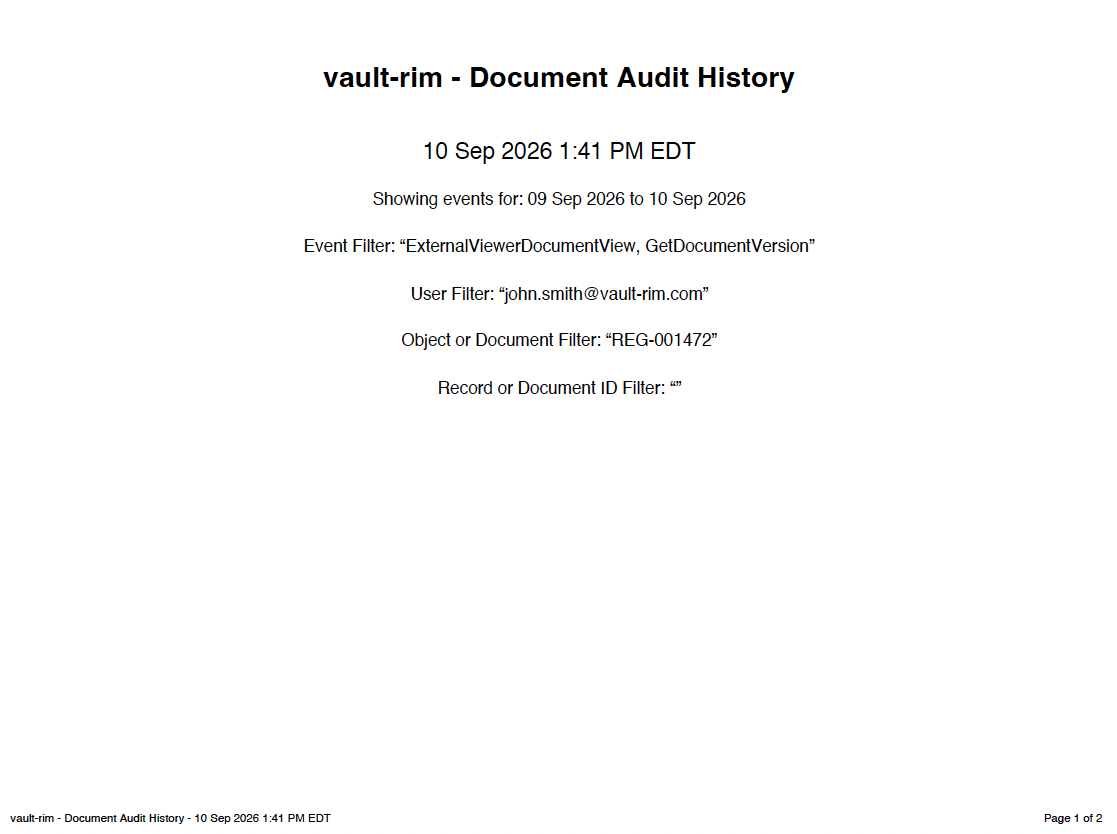
Accessing Cover Page Template Management
From Business Admin > Templates > Signature & Cover Pages, you can manage the Audit Export Cover Page template, signature page templates, and the Report Export Cover Page template.
How to Edit the Template
To edit the Audit Export Cover Page template:
- From the Signature & Cover Page Templates page, open the Audit Export Cover Page template.
- Click Edit.
- Make any necessary changes.
- Click Save. The new template takes effect immediately for all new PDF exports of audit trails or audit logs.
Inactivating the Template
If you do not want to show cover pages with PDF exports, you can make the Audit Export Cover Page template inactive. To do this, remove all tokens from all fields in the template and save. Rather than generating a blank page, Vault generates a PDF without a cover page.
Note: You cannot delete the Audit Export Cover Page template.
Tokens
When editing the Audit Export Cover Page template, you can use the following tokens:
| Label | Token | Description |
|---|---|---|
| Audit Trail Name | ${auditTrailName} |
Name of the audit trail or audit log, for example, Document Audit History or Login Audit History |
| Document | ${document} |
The document number when the audit trail is exported from a single document, or multiple document numbers when the Admin audit log is exported |
| Document ID Filter List | $documentIdFilterList |
List of document IDs the audit history was filtered on |
| Domain Name | ${domainName} |
Domain name for the Vault, for example, veepharm |
| Event Filter List | ${eventFilterList} |
List of events the audit history was filtered on, for example, BringForwardNotes, CheckIn |
| Export Date | ${exportDate} |
Date of the export, in user’s timezone |
| Export DateTime | ${exportDateTime} |
DateTime of the export, in user’s timezone |
| Export End Date | ${exportEndDate} |
End date for the range included in the export |
| Export Start Date | ${exportStartDate} |
Start date for the range included in the export |
| Exported by Username | ${exportedByUsername} |
Username for user who exported the PDF, for example, tibanez@veepharm.com |
| Object | ${object} |
(Object record audit history only) Object record label, for example, CholeCap |
| Record ID Filter List | $recordIdFilterList |
List of the record IDs the audit history was filtered on |
| User Filter List | ${userFilterList} |
List of users the audit history was filtered on, for example, cwalters@veepharm.com |
| Vault Name | ${vaultName} |
Name of Vault where the export occurred |
Audit Trail Dates & Times
Vault displays dates and times, including in exported audit logs and cover pages, in the current user’s selected time zone.